
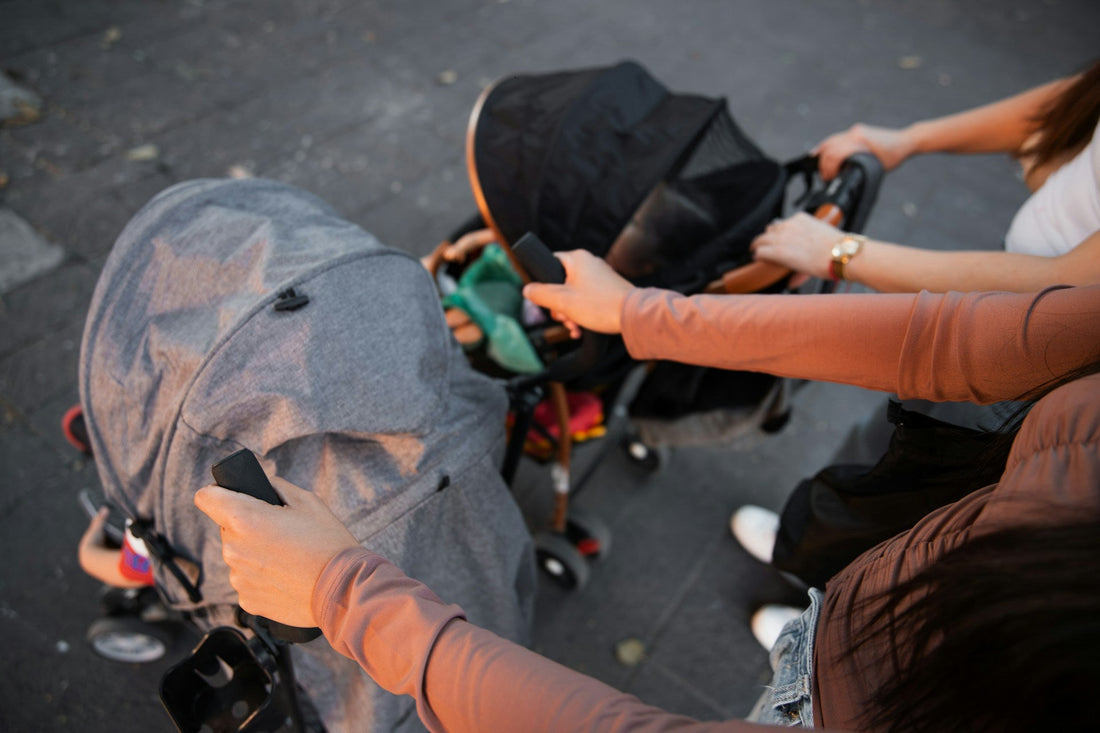
Stress-Free Day Trips with Happy Kids in the Pram
Stroller screen time can turn a long Aussie day trip from stressful to surprisingly calm. When little legs are stuck in the pram while we walk the foreshore, wander a museum, or wander through a park, a small screen set up well can keep everyone more relaxed.
The trick is doing it in a way that is safe, respectful, and actually supports the day out, not replaces it. Our sun can be harsh, reception cuts in and out, and crowded spots like cafes or galleries need quiet, considerate kids. With a bit of planning, we can keep toddlers comfy in the pram without sore necks, overheated devices, or cranky neighbours at the next table.
At Stroller Mate, we focus on helping families use screen time as a tool, not a babysitter. Our ergonomic stroller phone holder gives kids hands-free, posture-friendly viewing on the go, while adults keep both hands free to push, carry bags, or sip a much-needed coffee. Let us walk through some simple steps for offline content, glare and heat control, battery-saving, and good volume and caption habits.
Smart Offline Setup Before You Leave Home
In many Aussie spots, reception drops in and out. Beaches, national parks, even some museum buildings can have patchy signal. Relying on streaming is a quick way to hit data limits and meltdown mode when a show suddenly freezes.
Before you head out, try a quick offline check:
- Download a few favourite shows or episodes
- Add audiobooks or story apps that work without data
- Save calm playlists for music or nature sounds
- Test everything in airplane mode
It helps to set up simple folders or playlists so you can tap and play quickly while you are juggling snacks and hats. Balance fun and calm: mix gentle shows, story apps, and low-key games that do not rev kids up right before nap time.
You can also set clear rules before you leave. For example, screens only in the stroller, on longer walks, or while you wait for food. No screens during playground time or inside certain exhibits. When kids know the plan, it is easier to say, “Screens are for pram time only,” and stick to it. A secure holder keeps the phone in place so little hands are less likely to grab, drop, or poke at it every few seconds.
Beating Sun Glare and Protecting Screens in Aussie Heat
Strong Australian sun can make a phone screen hard to see, which often leads to kids hunching forward to get closer. Over time, that hunched posture is tough on little necks and backs. An ergonomic mount helps keep the screen at a steady, comfortable height so they are not folding themselves in half just to watch.
To cut down glare and heat, try:
- Use the pram canopy to create gentle shade over the screen
- Angle the device so it is not facing direct sunlight
- Add a matte or anti-glare screen protector
- Avoid dark covers that trap heat around the seat
Heat is not just uncomfortable; it can also trigger device overheat warnings. Avoid leaving the phone in direct sun when the pram is parked. During the hottest part of the day, especially at the beach or in open parks, build in screen breaks and focus on cool drinks, light clothes, and fresh air instead.
A steady stroller holder helps keep the viewing angle safe and consistent. Kids are less likely to twist, crane their necks, or pull the device right up to their face to dodge glare.
Battery-Saving Hacks for Long Day Trips
A flat battery right when everyone is tired and strapped into the pram can turn a peaceful afternoon into tears. Between long drives, walks along the coast, and maybe siblings sharing one device, power can drain quickly if we do not plan ahead.
Before you leave, tweak a few simple settings:
- Lower the screen brightness
- Switch to airplane mode once offline content is loaded
- Turn off background app refresh and extra notifications
- Shorten the screen timeout so it sleeps when not touched
Downloaded shows, audiobooks, and music generally use less battery than high-powered games. When you have hit your screen-time limit, switching to audio-only stories or calm playlists gives their eyes a rest while still keeping the mood steady.
A lightweight power bank and short cable tucked safely away from curious fingers can be a trip saver. Use lunch or coffee stops to top up the phone so it is ready for the trip home. When the phone stays clipped into a holder instead of in our hands, we are less tempted to scroll, which quietly saves battery for the kids when they most need it.
Respectful Volume and Caption Habits in Public Spaces
Stroller screen time can be a gift to everyone in a cafe or museum, as long as the sound is kept gentle. Loud theme songs and constant beeps can quickly annoy people trying to relax, chat, or enjoy an exhibit.
Some simple habits help a lot:
- Keep volume low, more like background noise than a mini cinema
- Use child-safe, volume-limited headphones only when age appropriate and supervised
- Turn on captions so kids can follow quietly
-
Choose slower, softer content in shared spaces
Captions are surprisingly powerful. Kids can still follow the story with minimal sound, which is perfect for quiet galleries, trains, or library corners. Slower-paced shows, nature clips, or drawing apps are kinder to everyone nearby than fast, noisy cartoons.
We can also explain to kids that there are “public screen rules,” just like indoor voices. Saying, “When we are in the museum, we use quiet shows with captions,” helps them learn respect for shared spaces while still enjoying their pram screen time.
Balancing Screens and real-world Play on Day Trips
Screens work best when they support the day out, not replace it. We want kids to remember the waves, the sand, the sculptures, and the birds, not only the cartoon they watched along the way.
Try simple routines, like:
- Screens on during the drive, off for the playground
- A short show in the pram while adults order food, then off again to explore
-
Quiet clips in queues, then device-free time once you move on
You can link content to the outing to spark curiosity. Beach-themed episodes before hitting the sand, animal clips before the zoo, or short art videos before a gallery visit help kids feel more engaged once you arrive.
Even during screen time, quick “connection breaks” help. Pause the show to point out a dog running past, a big wave, or a colourful sculpture. A fixed stroller holder makes it easier for us to pause or stop content from an adult angle, keeping boundaries clear without a tug of war over the phone.
Build Your Own Pram Screen Plan for Your Next Aussie Outing
A good stroller screen plan brings together everything we have talked about: offline content, smart glare and heat control, simple battery-saving tweaks, kind sound and caption habits, and clear on and off rules that fit your family. When these pieces are in place, day trips feel calmer for everyone.
We suggest trialling your plan on a short walk or local cafe visit first, then adjusting for your child’s age, mood, and the places you usually go. At Stroller Mate, we designed our ergonomic, hands-free stroller phone holder to support this kind of thoughtful, posture-friendly screen time in the pram. With a bit of prep and the right setup, Aussie families can enjoy easier outings where kids are entertained, comfortable, and still connected to the world rolling by.
Make Every Pram Walk Calmer And More Connected
Take the stress out of outings by giving your little one a safe, engaging way to enjoy stroller screen time that supports your family’s routine. At Stroller Mate, we design with real parents in mind, so you can focus on fresh air, coffee in hand and actually finishing that walk. If you have any questions about fit, usage or age suitability, simply contact us and we will help you choose with confidence.


